Since delivering the tool I’ve built to Simon and his team for testing, we’ve spent the last few weeks collecting feedback, discussing details and implications of that feedback, making refinements to the tool, and moving toward the point where it is ready for daily use. This post is a walk through of that process.
The first round of feedback that came in was a mix of big picture refresh questions about the data model, smaller aesthetic suggestions, and enhancements/requests around the content curation view:
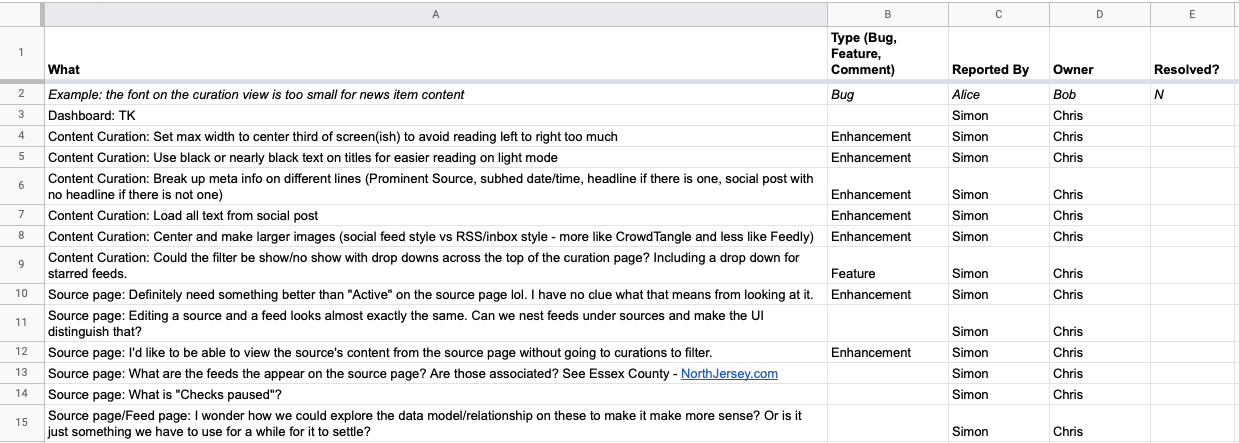
(You can continue to view the full feedback spreadsheet here.)
Some of those items were easily addressed through minor refinements, but others were more substantial, so on April 20th, Simon and I did a phone call to talk through them. Here are my rough notes from that conversation:
- In general we’re going in the right direction, excited to get the “design quirks” ironed out
- The responsive and mobile-friendly nature of the tool is good
- Possibility of bringing in a collaborator/consultant Simon has worked with for additional UI feedback later on
- Conversation about terminology, re-clarifying differences and relationships between Sources and Feeds, and how those will ultimately be managed as the tool expands.
- Filtering options for the Content Curation view could expand forever, so need to focus on making sure the default view is as helpful as possible to the daily workflow of the news producer
- Need to switch from notion of “starred” Feeds to a more general way to tag Sources, including a tag like “Top” or “Favorite” that might be selected by default.
- Would be helpful to be able to quick-add sources from the feed edit screen
Following the call and the subsequent updates to the feedback spreadsheet to reflect our conversation, the plan was for me to deliver the refined version of the tool back to Simon and team by the end of that same week (so, April 22nd) so they could continue their testing.
You can see the ongoing work on the Laravel News Harvester package based on this feedback and other requests by viewing the commit history on GitHub. Again, this package and tool is now available for any other organization to use, benefit from and contribute to.
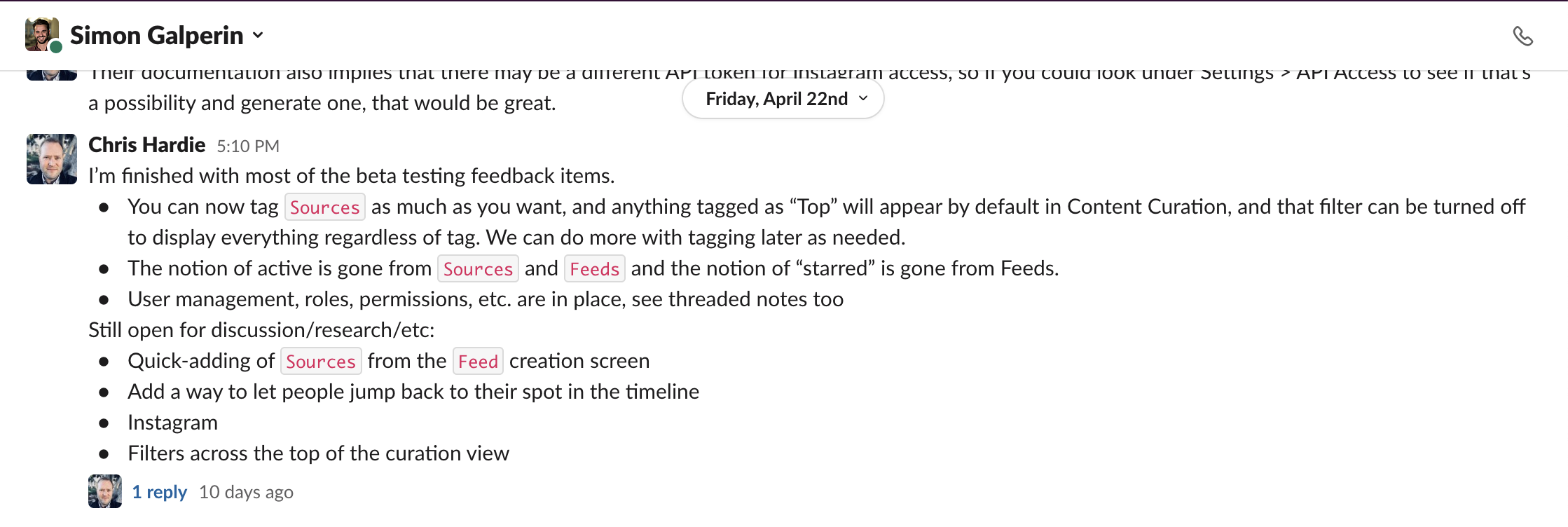
On the afternoon of April 22nd, I delivered the refinements to Simon via Slack:
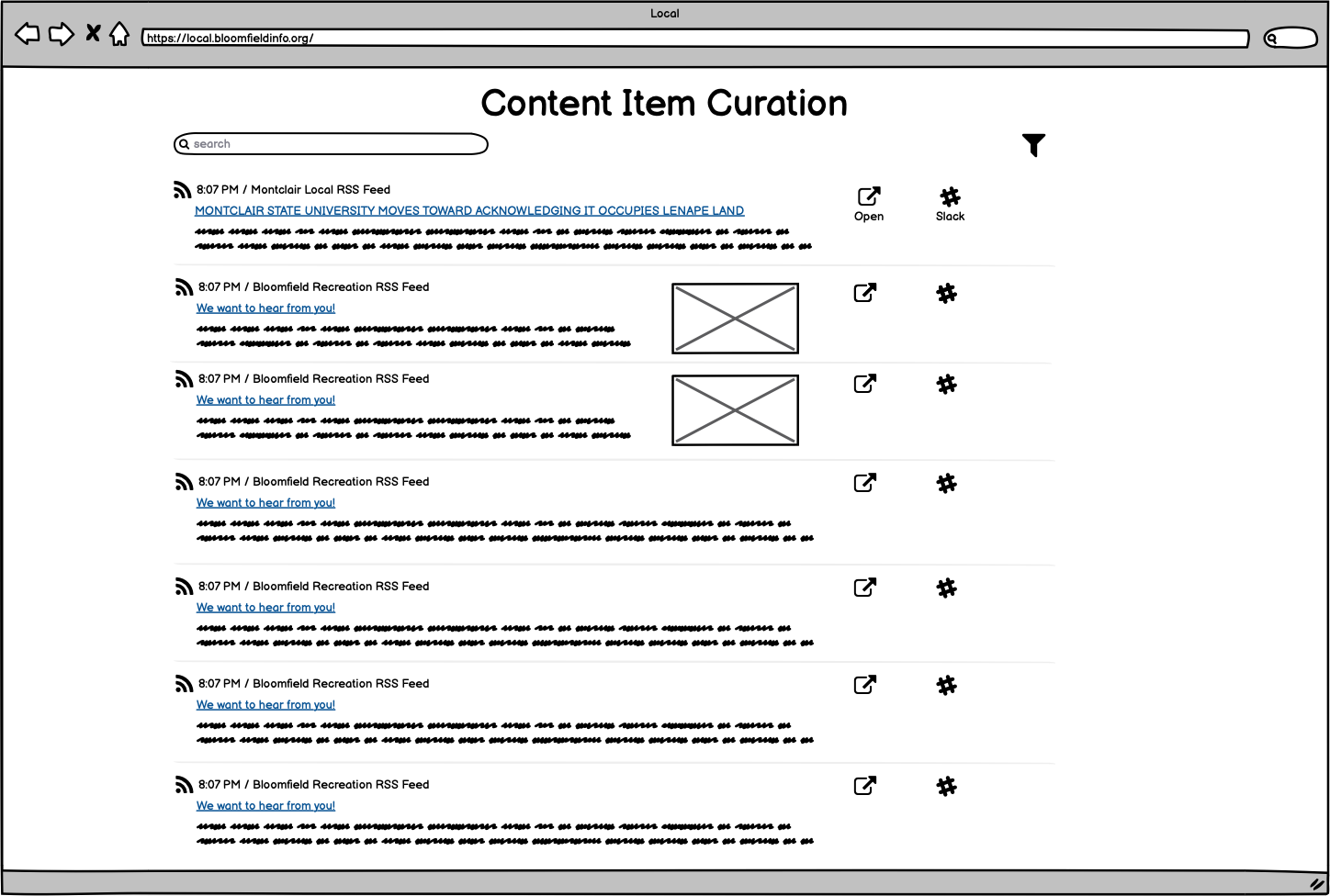
As Simon spent more time with the tool, it was clear that I wasn’t quite realizing his hopes for a Content Curation view that looked and felt like a social media feed. You’ll recall this screenshot from the original testing delivery (and the wireframe drawing it was based on):
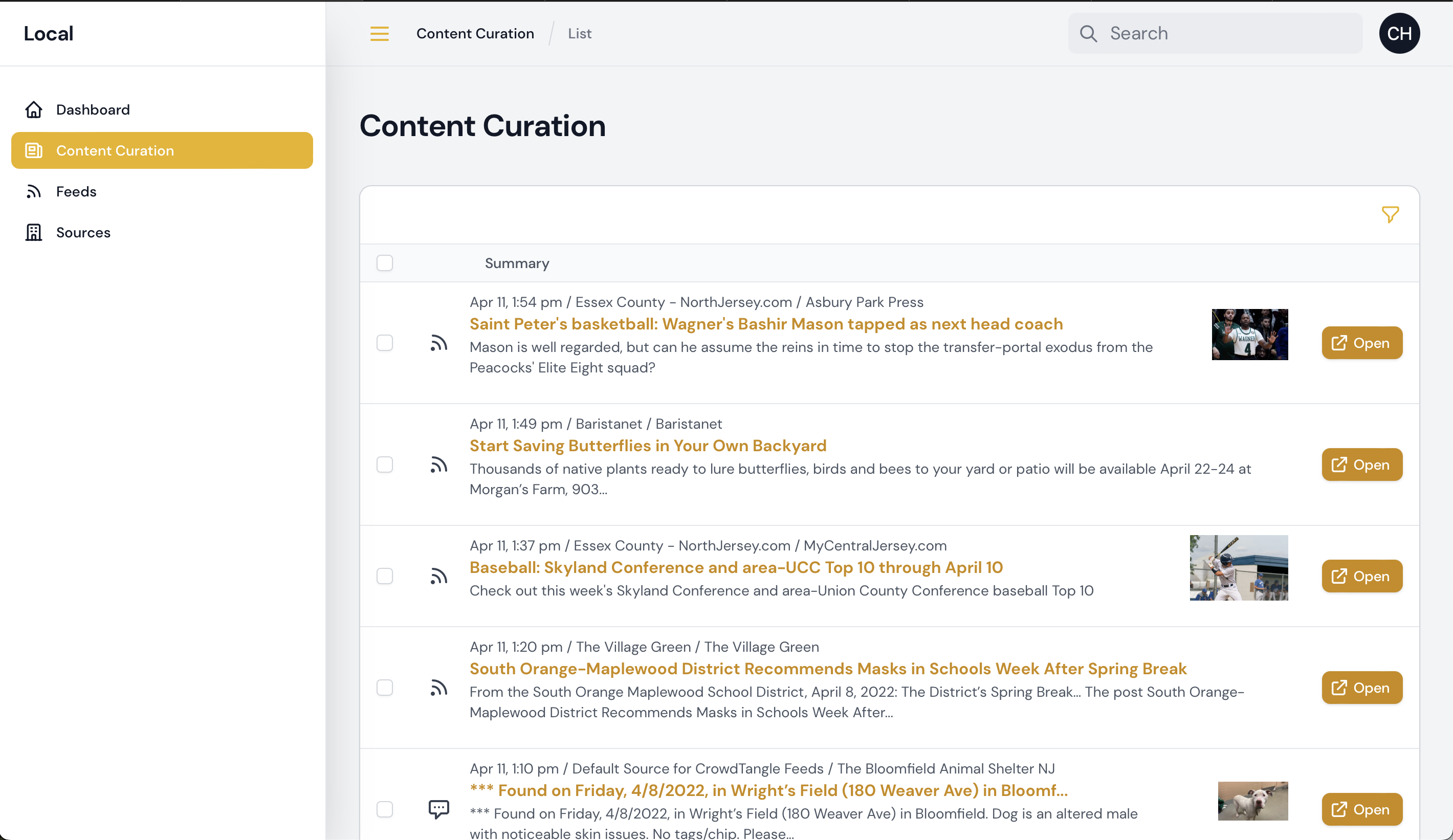
Simon shared the concern that it felt too much like an “inbox.” He emphasized how important it is for their team to be able to have more context on the updates they are considering for inclusion in their Daily Bulletin to subscribers. He used the example of how a social media post from a Facebook page is very different when considered with the full text of the post and the main image that’s being shared at full size, compared to a version with just an excerpt of the text and the image displayed at a smaller size off to the side.
Some quick sketches from Simon helped illustrate what the ideal layout would be (click to enlarge):
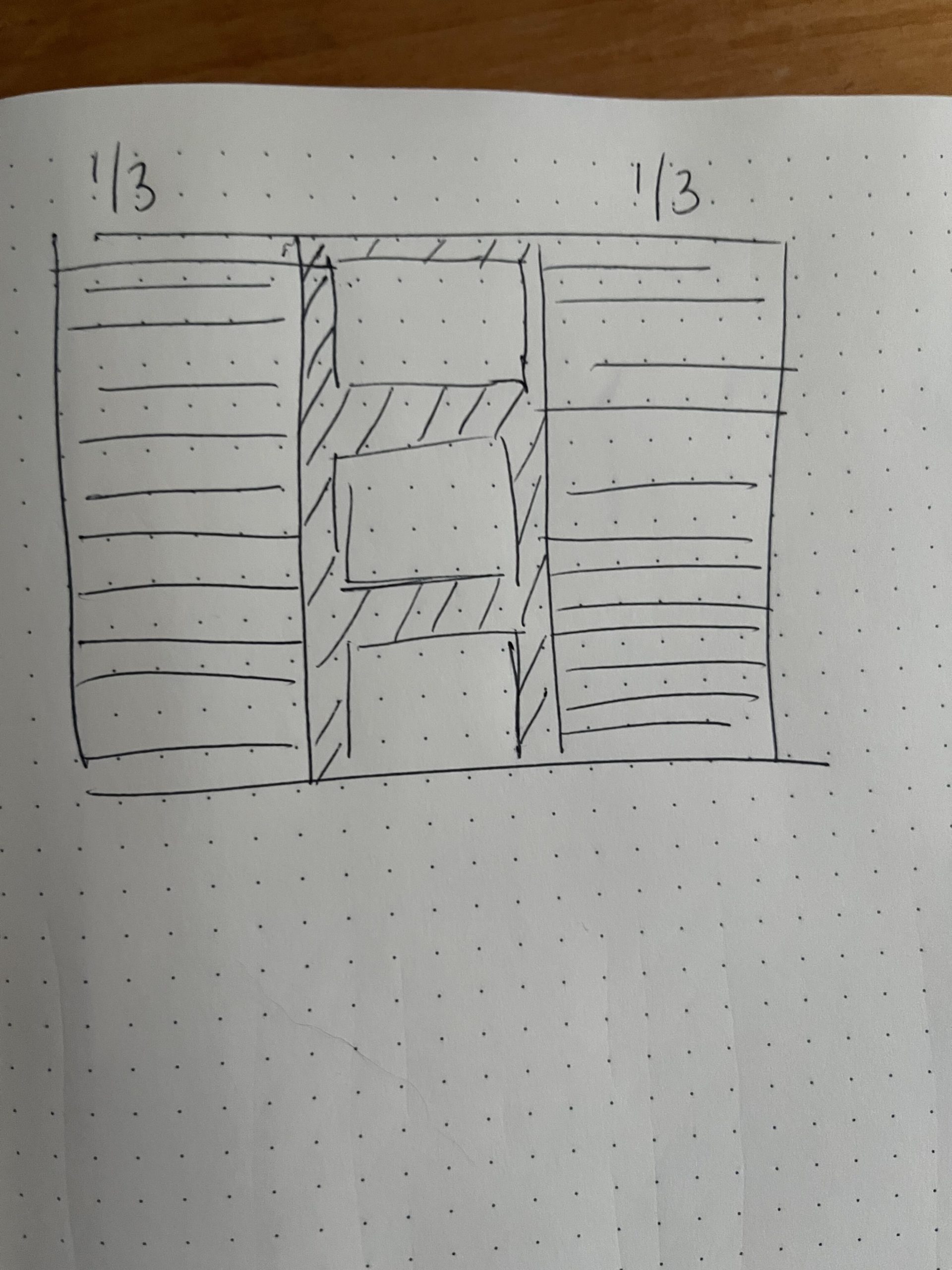
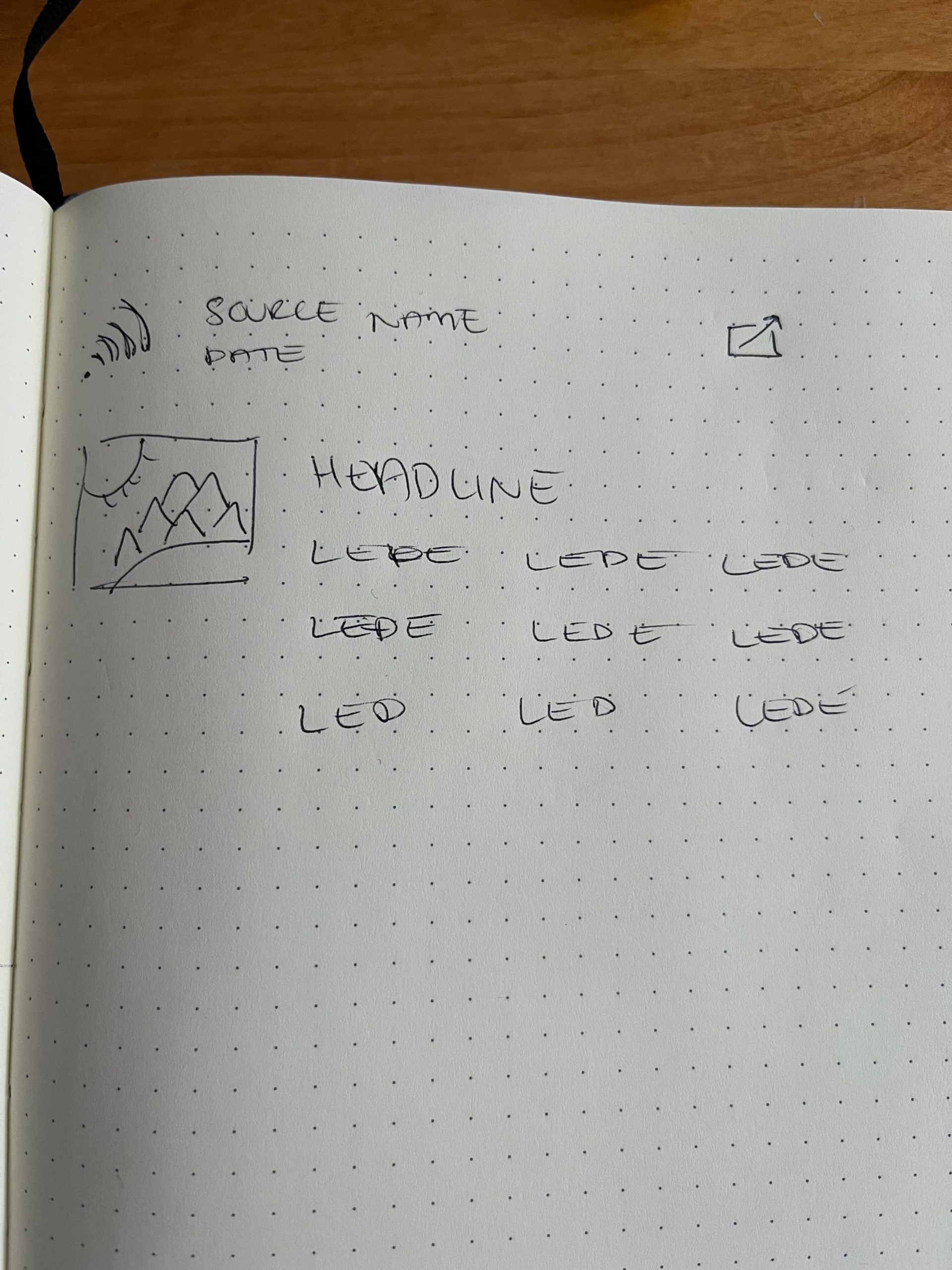
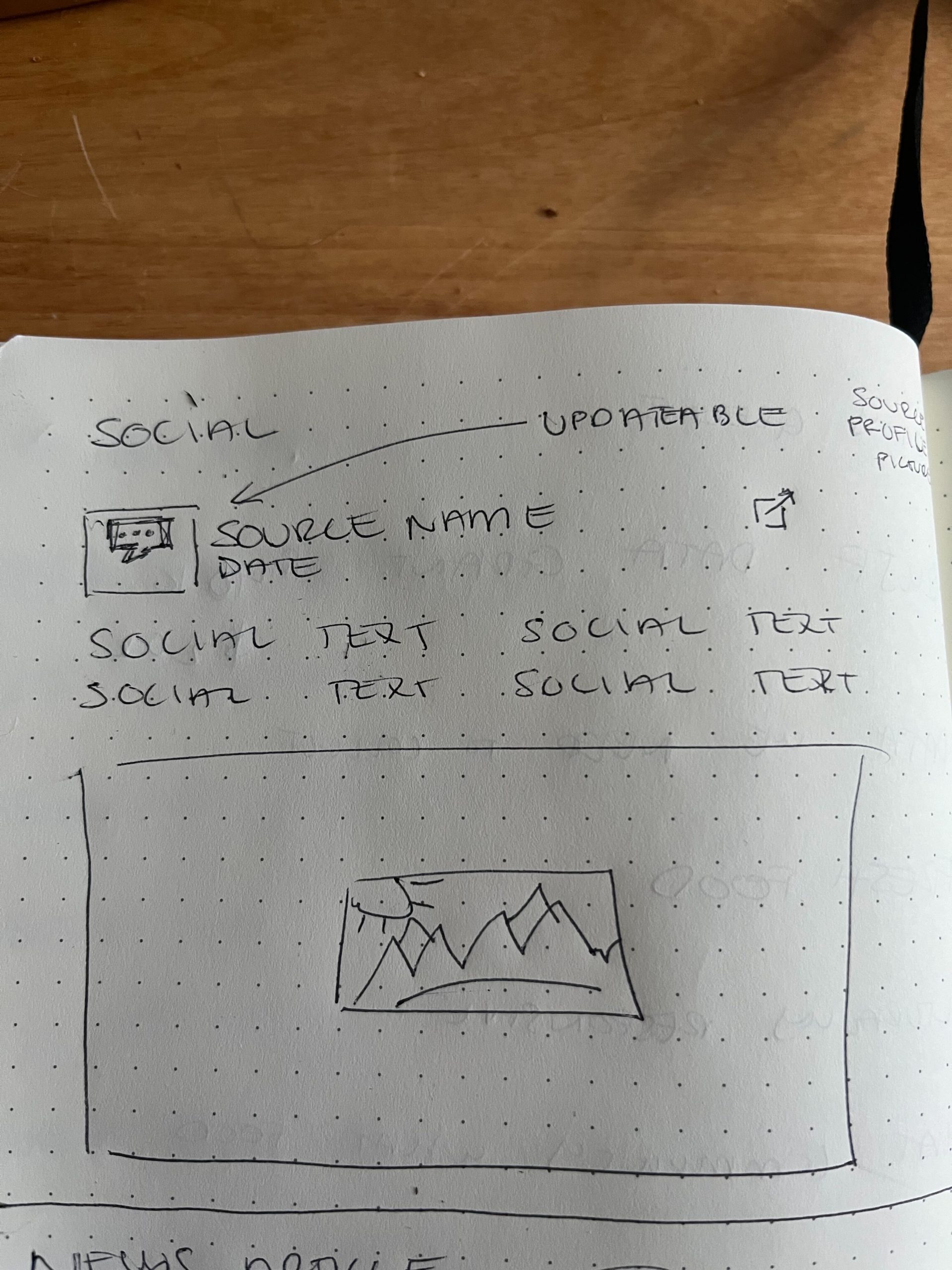
With that, I started re-working the content curation view to reflect this vision, as much as the tooling I had in place would allow. As I communicated to Simon, based on the original wireframes, I was taking advantage of a tool called Filament to help build out this administrative interface with some features like filtering, sorting and pagination already built in, and so making its tabular format into a social media stream came with some challenges and limitations.
On Wednesday April 27th, I delivered the updated Curation tool and views. Here are some screenshots:
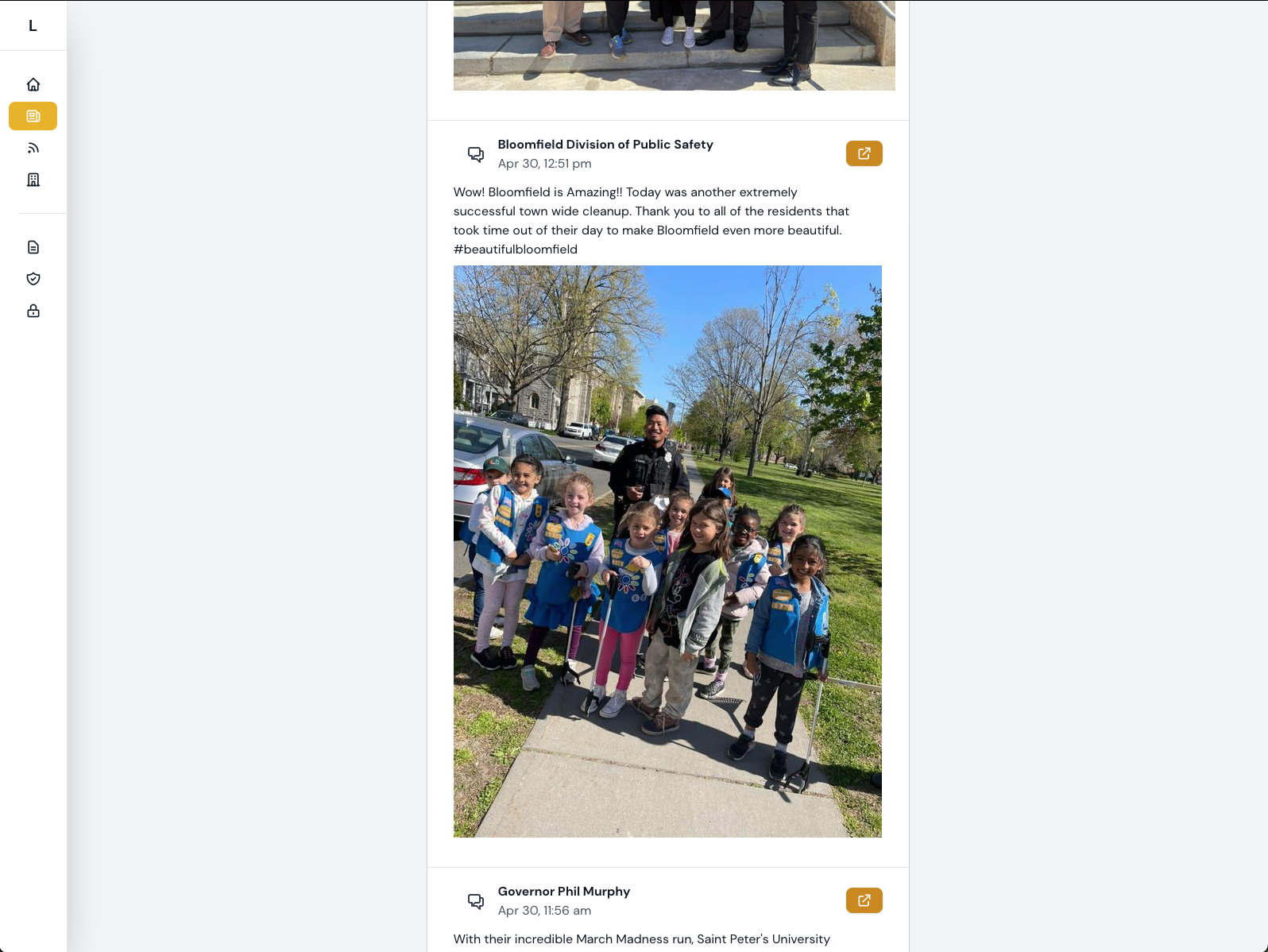
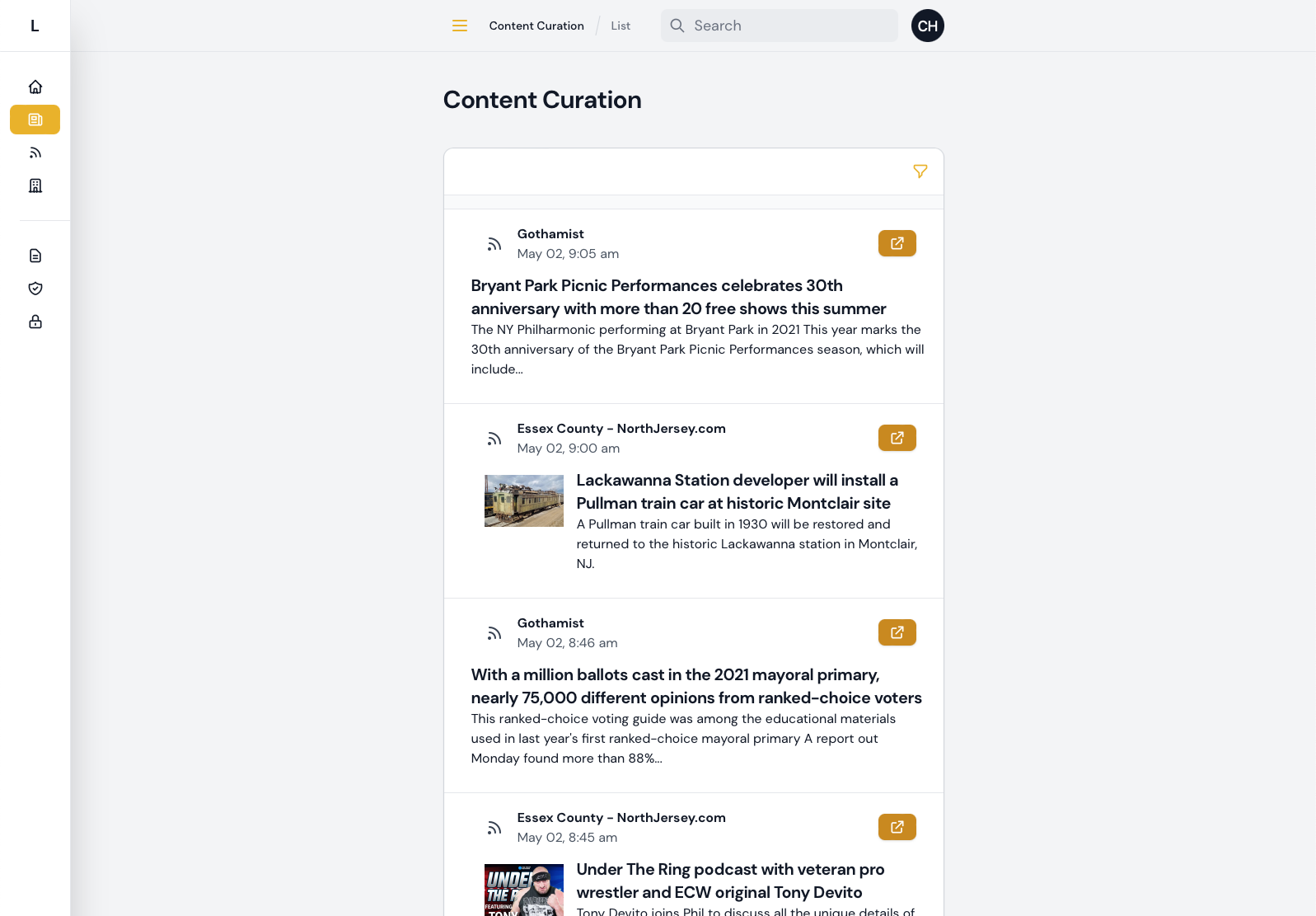
This seemed to be in line with what Simon was hoping for and what would be usable and useful for the team.
One final hurdle for getting the tool ready to use was doing the initial categorization of all the feeds and sources (especially with ~200 feeds imported from Facebook/CrowdTangle).
The first step was importing the list of sources they had compiled as what they were tracking via CrowdTangle. Simon provided a spreadsheet of those, and then I added some functionality that would allow importing that via command line, as documented in the package’s “README” file here:
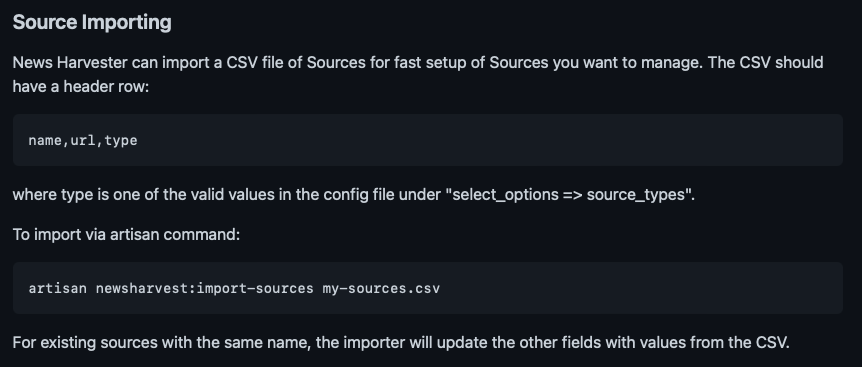
It’s not clear to what degree that import feature will be useful to other organizations using this tool, but at least it’s there now if needed.
Then, I saw that they were going to be using a process that involved several “clicks” through the interface for each Feed that needed to be assigned to the proper Source. So I created a way for them to quickly update the source from a list of Feeds, with one click and a modal:
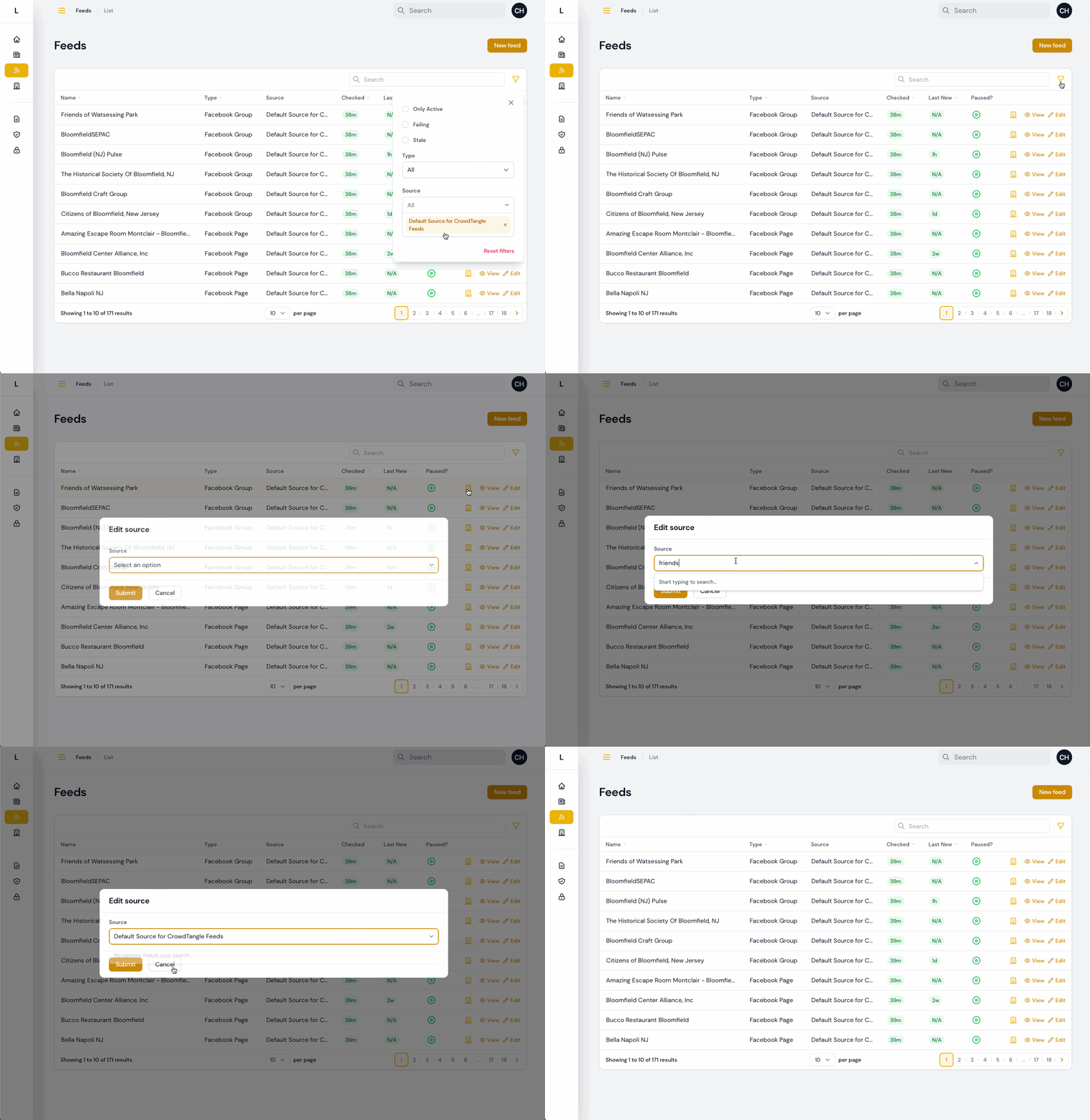
With that, most all of the testing feedback and information coming in from early usage has been addressed, at least so far. Some items remain that are either dependent on third parties (e.g. the desire to import Instagram content, waiting on resolving an API access issue) or that need more details or information from the Bloomfield team.
I’m sure that continued real world usage will yield additional feedback and possibilities for enhancement. As I wrap up this phase of my capstone and look toward compiling my write-ups and analysis of the project, I’ll work with Simon and team to collect, categorize and prioritize that feedback for the future.