Over the last few weeks I’ve been working with Simon to talk through and refine some wireframe mockups of how the new application/tool could work. I’ll share about those separately soon, but one interesting and important conversation that came out of this process is about how the Bloomfield team does their review of content that comes in through the existing news harvest process, and how that should be reflected in a new workflow and tool.
I made an assumption in the process of developing the mockups that it could work well to see a content item’s original headline in an administrative “curation” view and then, for purposes of rewriting the headline for the project’s Daily Bulletin, either open a new window to view the article/content in its original content, or just go straight to editing the headline in a pop-up modal within the tool.
Here’s one of the original mockups from March 1st showing the proposed feed curation view:
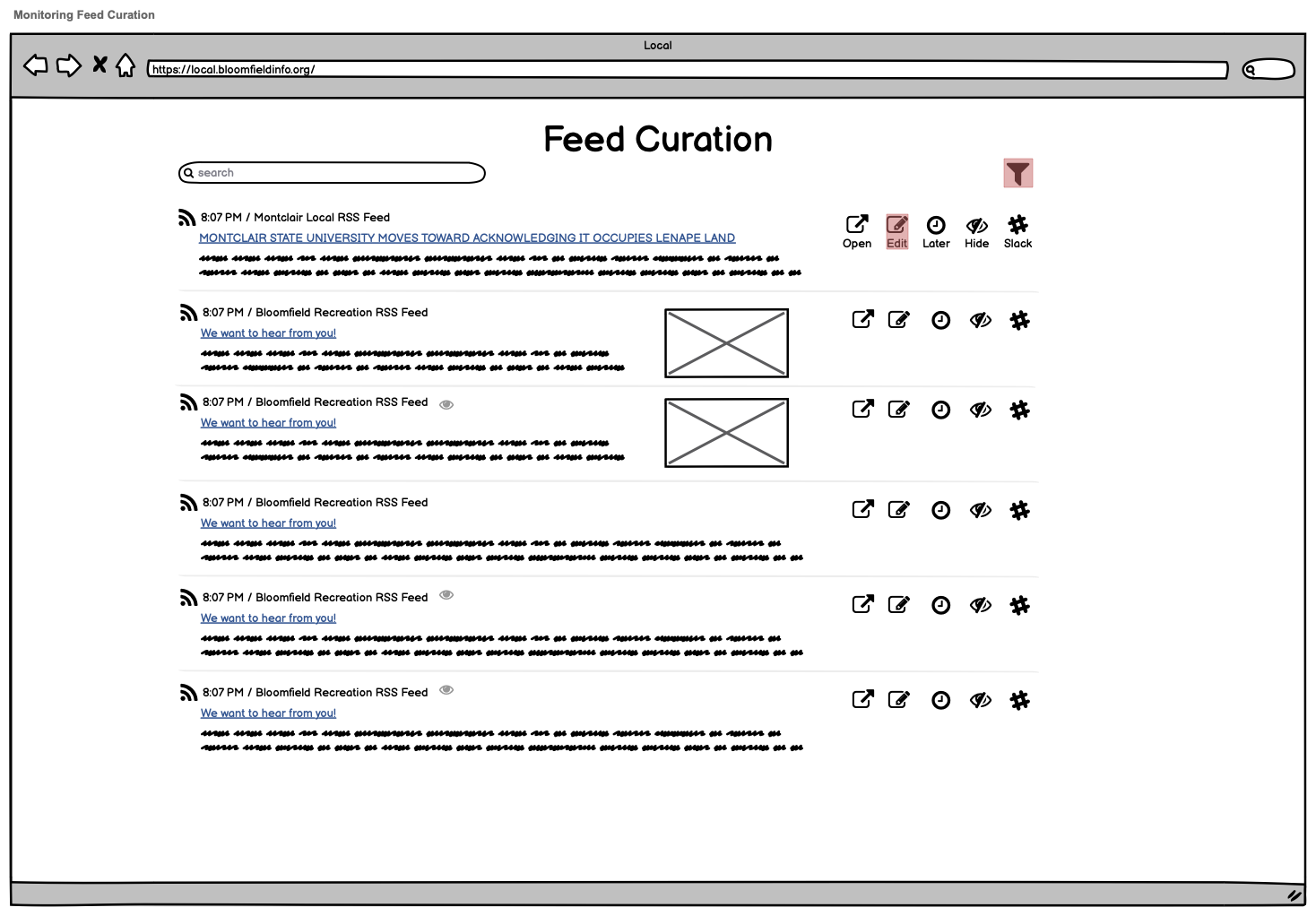
You can see the “Open” and “Edit” buttons for those two proposed ways of working with the content. Open would open a new browser window to the original article, and Edit would do something like this:
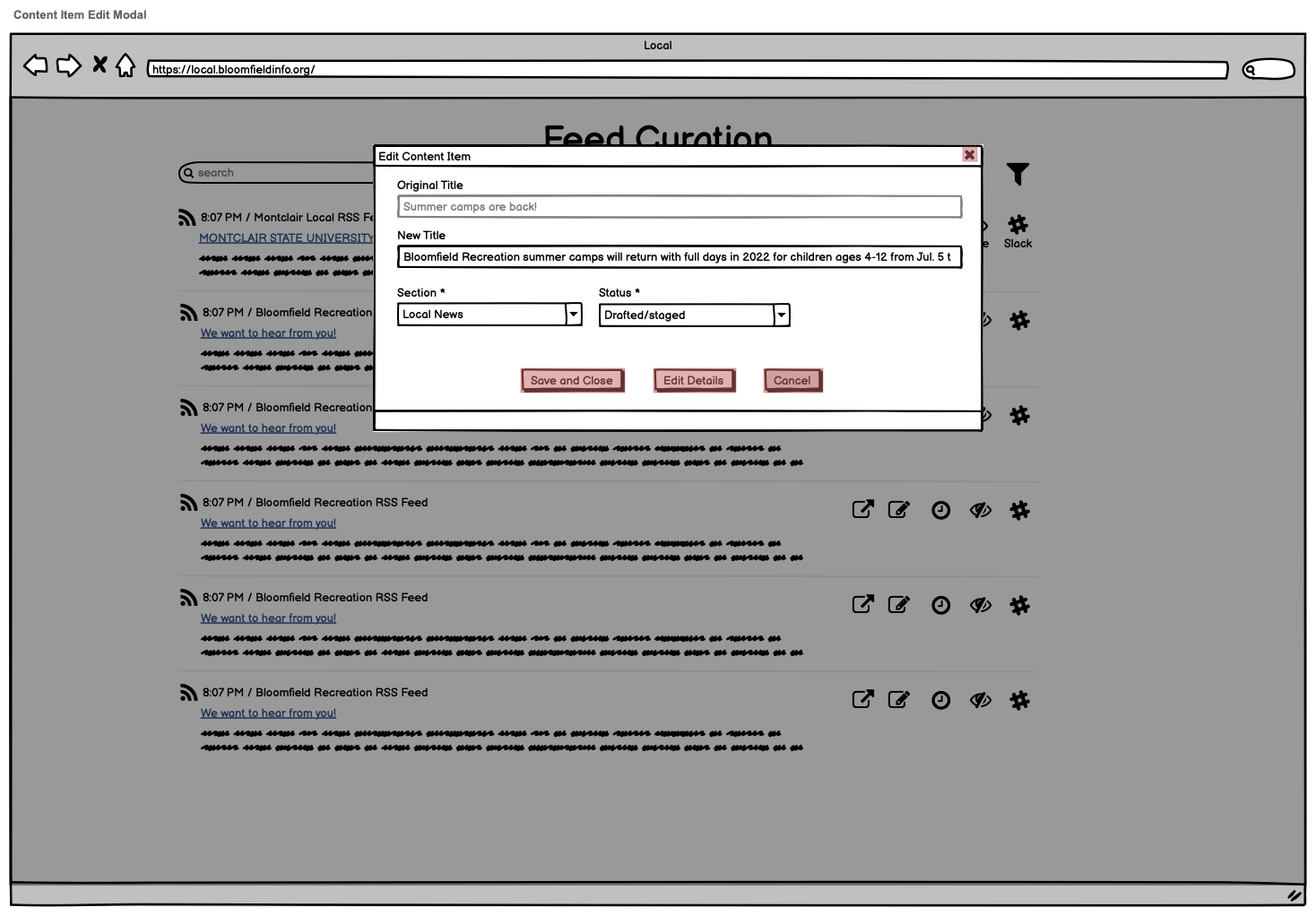
Simon quickly identified that this approach would create more friction for them than their current workflow does.
Right now, when they want to work with an individual content item, they do so through a browser extension provided by Zapier, which allows them to edit the headline while looking at the article side-by-side:
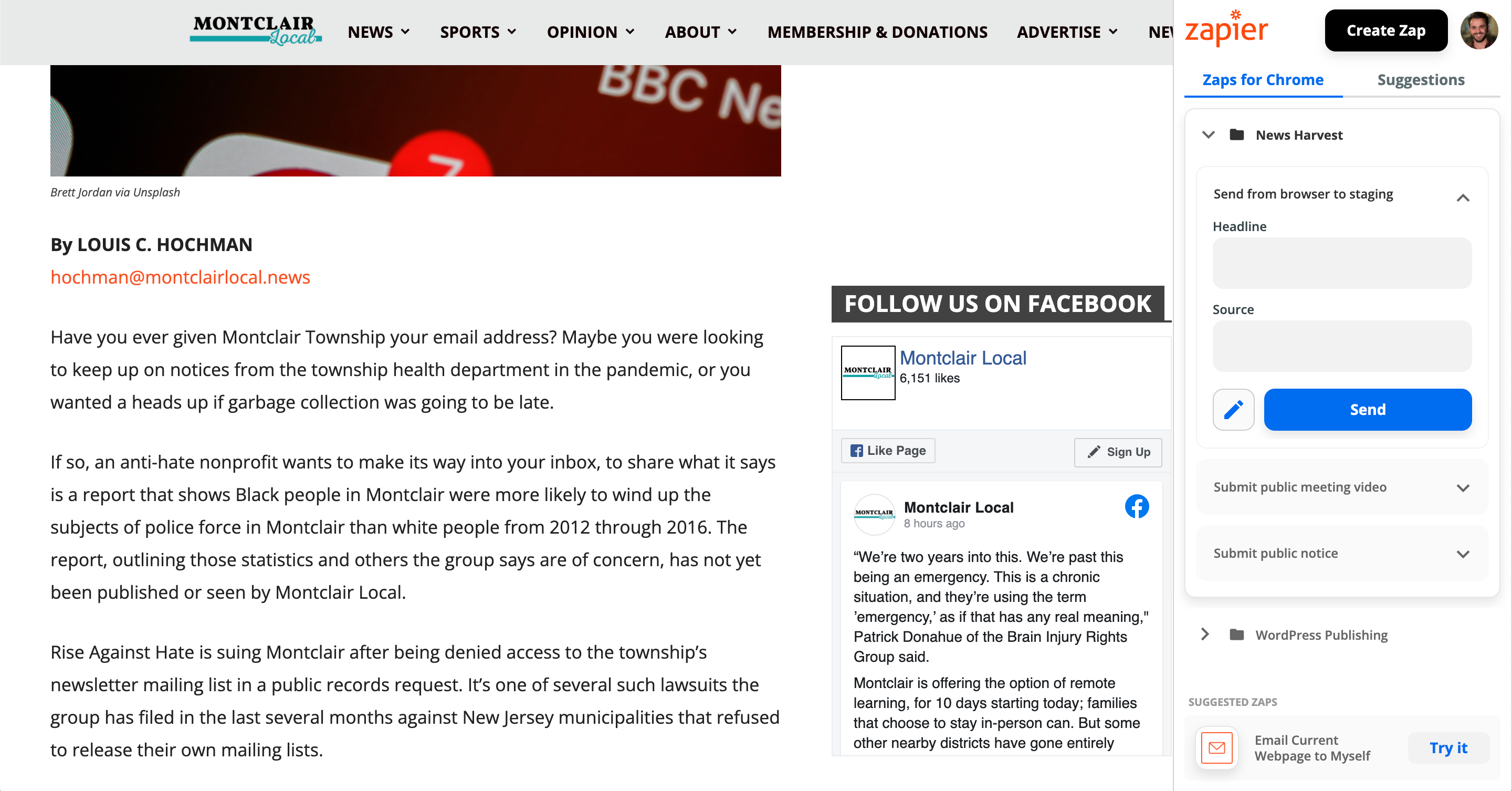
They do this because they are not just skimming these articles and doing trivial re-writes of headlines. Instead, they are doing a deep reading of the article to understand the full context and implications for everyday residents of the areas they serve. In talking to Simon, I came to understand just how critical this piece of the process is. It’s a key way that they transform an article or other content from “just another headline going by in everyone’s feeds” to a relevant, actionable piece of information about the community that people can really use. And asking their team to either scale back that part of the process, or to do it in a way that took longer or was harder, was a non-starter.
We talked about how an ideal scenario would be to have the full article in its original context open within the new tool. But there are technical and security considerations that make this difficult.
The recommended best practice within the web security community is that site owners should enable “Content Security Policy” (CSP) features that prevent their content from being displayed on other sites via iframes, which would be our default method of doing this embedding. When I spot checked six articles linked to in the most recent Daily Bulletin, all but one of them had CSP settings that would prevent that kind of iframe-based embedding.
The main alternative to the iframe approach is to have our tool retrieve the external website’s content behind the scenes in the application and then spit it back out again in the news harvest / producer workflow. I’ve seen this done on some web page monitoring tools and it is possible to do, albeit pretty complex to implement. But this still has pitfalls, e.g. I tried a test with a Facebook post that was in a recent Daily Bulletin, and Facebook immediately blocked me from accessing Facebook.com at all because they detected a bot. Other sites that rely on Javascript heavily may display some but not all of their content/images using this approach. So I could tell that this would be a pretty fragile approach.
Another alternative I considered would be to use a web page screenshotting service to capture an image of the article or item when it first comes in via a feed, and then display that image to the producer instead of the web page itself. This likely wouldn’t work with Facebook or any other article behind a paywall or login system, but could work for some cases.
My overall sense is that these things would be a pretty big challenge to overcome, especially in a way that is re-usable across different communities/implementations in the future.
So that brought us back around to the current way of doing things via browser extension. I went ahead and mocked up how that might look and work, this from the March 8th version:
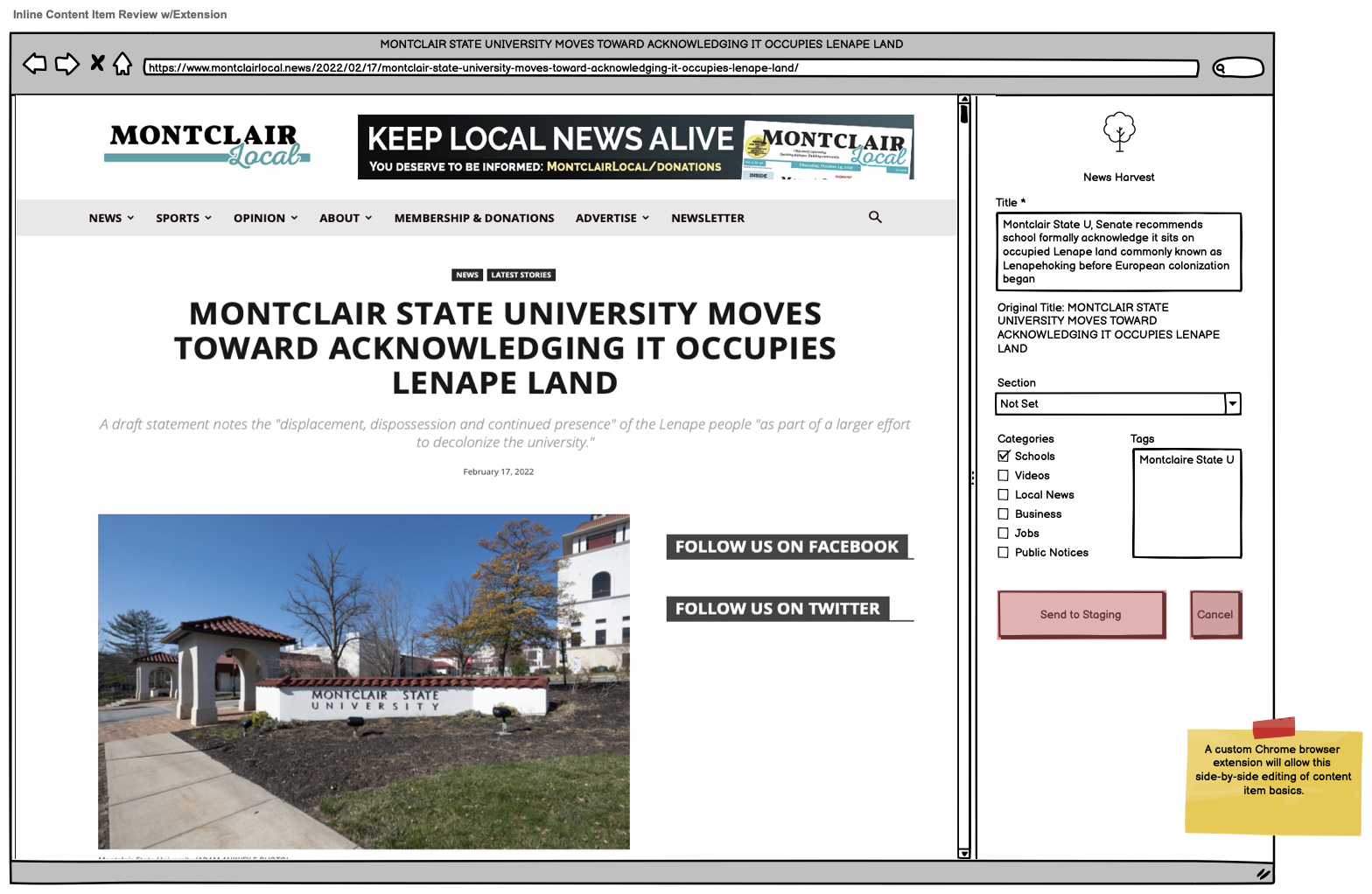
So we would basically be recreating what the Zapier extension currently provides, but with a more purpose-built version that integrates more tightly with our tool. This may still be less than ideal as it requires the producer to open content in a new page/tab, but it at least doesn’t introduce any new barriers in the workflow.
The main challenge with this approach now is that I personally don’t have any recent experience building browser extensions like this. I noted that concern to Simon and we’re talking through resources and options that could help us out.
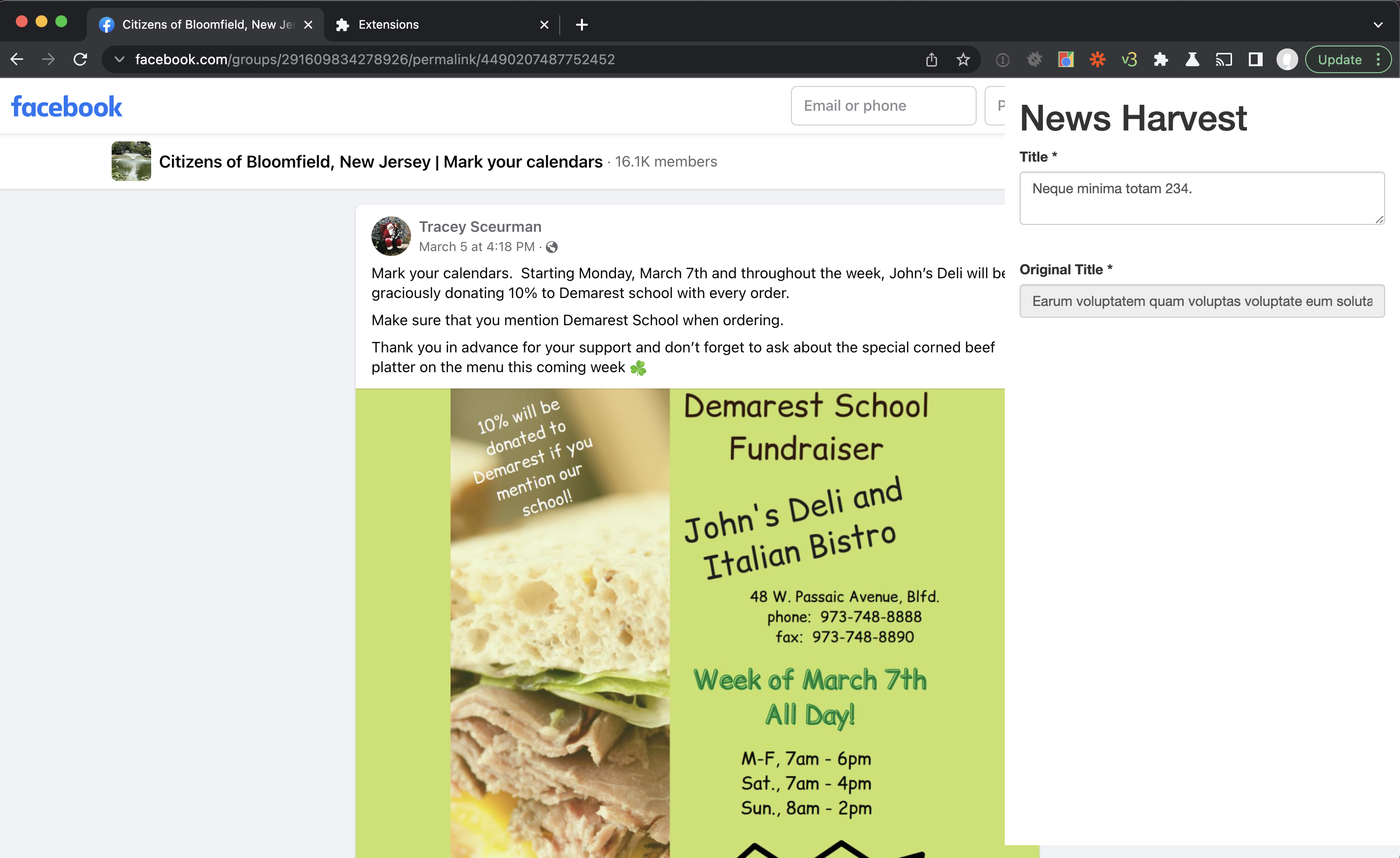
In the meantime, I also started researching more about what building a browser extension involves, and prototyping a basic setup for our purposes. The good news is that I was able to get to the point of having a simple extension load and, based on the URL of the page, retrieve some information about it via a “fake” API endpoint that simulates what the new tool would provide.
Here’s a rough-looking screenshot, with the extension’s in-progress editing panel on the right overlaying the page:
There’s still a huge learning curve for me ahead and a ton to do here to make this a viable tool on par with the Zapier version, but I at least feel a little better about what could be involved in tackling that hurdle.
As much as this process has had some unexpected twists and turns, that’s the whole point of the wireframe/mockup stage of building a new tool or application. With something in front of us to look at and react to, we can talk through the assumptions it builds in, the implications for users, and the places where it may fall short. And we can do all that before any software is built or decisions are made that might be “costly” to undo or change later.
We’re hoping to refine and finalize the wireframes as soon as possible (maybe early this coming week) so that I can begin working on the actual tool development. Yay!
