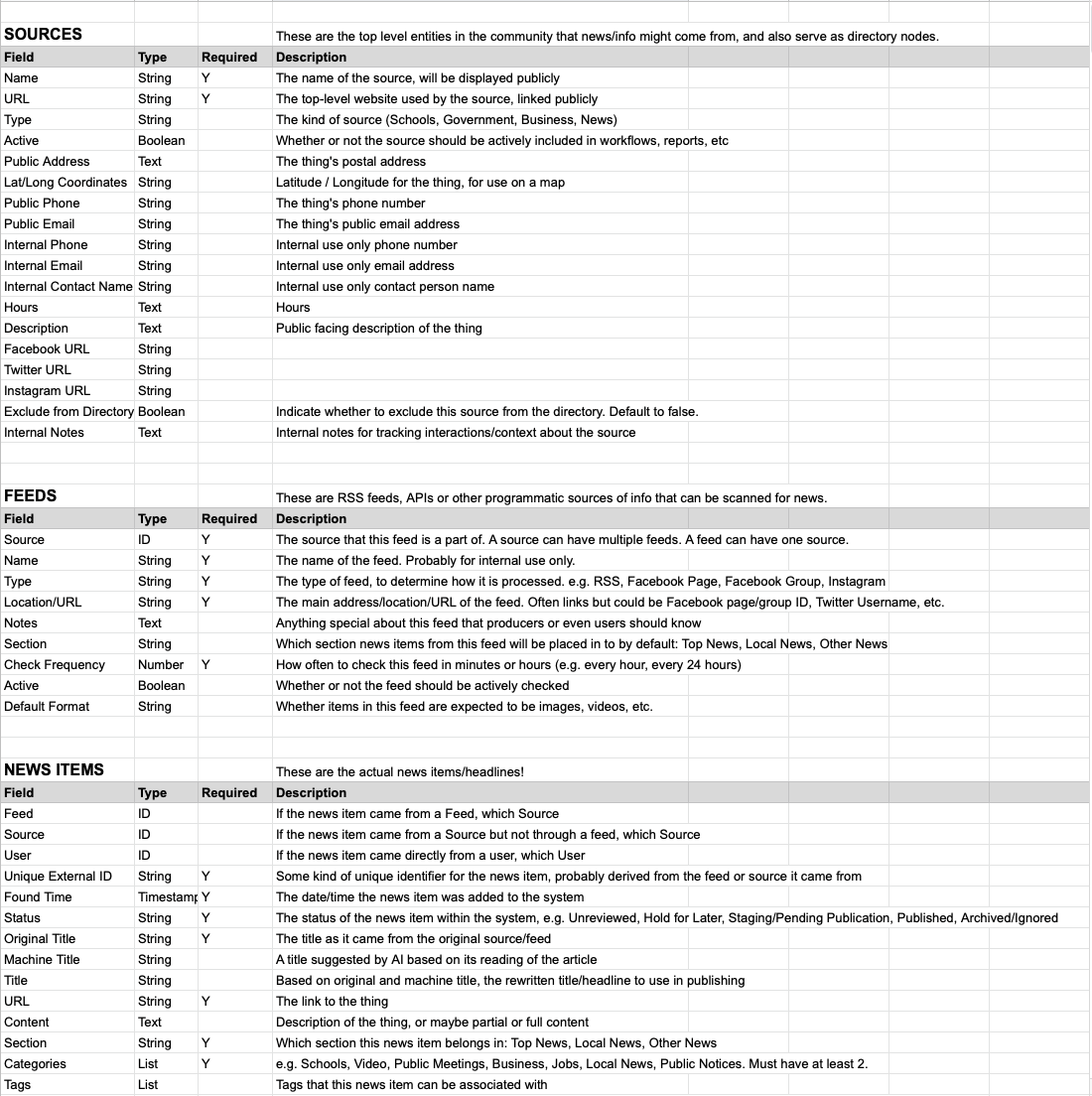
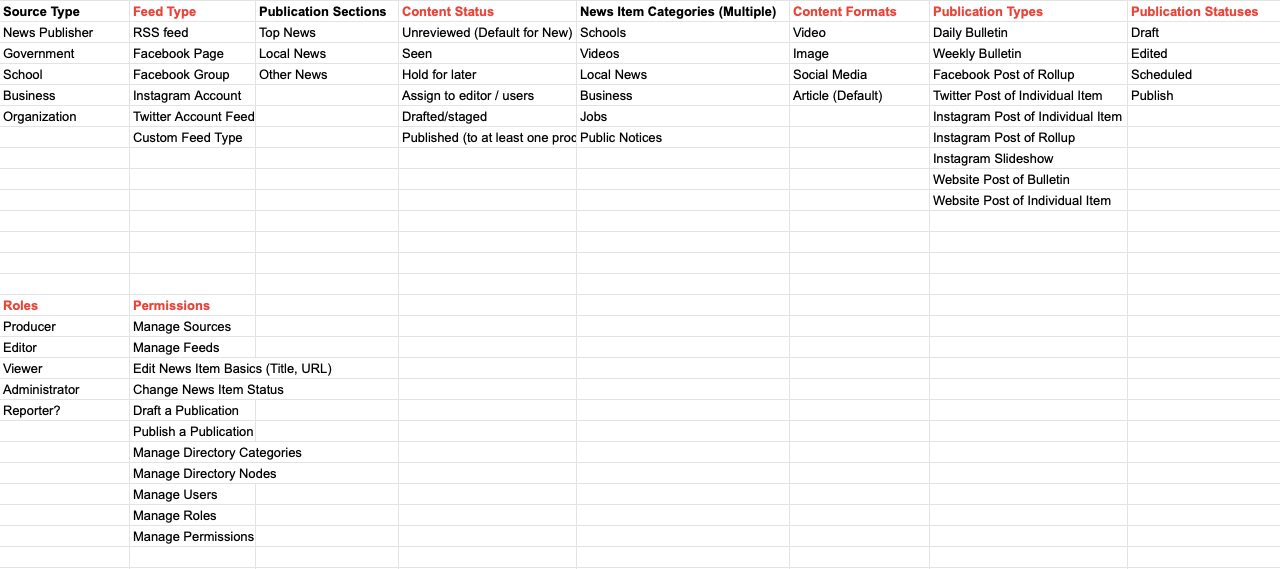
One conceptual conversation Simon and I had recently was about how far to go in trying to consolidate the “news harvest” workflows and tools with the publishing and distribution workflows and tools.
At present, the workflow is distributed across many different tools and services. (A single news item that ends up in the Daily Bulletin publication might touch or be viewed in a web browser, a Zapier zap, a Slack channel, a Google Sheet, a WordPress publishing UI, a MailChimp publishing UI, a social media account and more.) While this allows for a lot of flexibility, it also creates a lot of places where the team has to think about how an item will appear, and how all of those services will connect with each other to make sure it does appear.
Building something new presents an opportunity to consolidate significantly, but we don’t want to go so far towards “one tool to rule them all” that the project can’t easily evolve or adapt to future needs. Clearly part of the project’s success has been how agile the team is and how quickly they can spin up a new tool or service to add value to what they’re doing. I imagine that this tradeoff is something newsrooms around the world have to consider on a regular basis.
To help with the conversation, I tried to visualize two main scenarios I thought we were considering and put together some diagrams.
Scenario A is a centralized administrative tool, but still with separated out publishing channels:
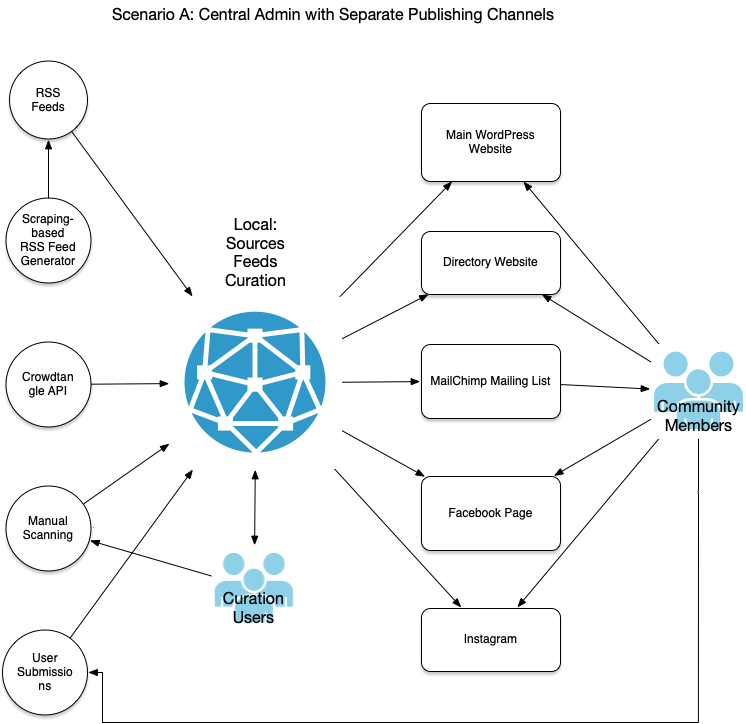
The news harvest functionality on the far left all feeds into a central admin tool, which in turn publishes the curated and updated information to other tools hosted and managed elsewhere, which are in turn the public-facing experience that community members will interact with.
A key benefit of this approach are that we don’t have to reinvent some key functionality: WordPress already has content management system functionality covered, MailChimp already has mailing list functionality covered, and so on. By abstracting the information management workflows from publication and viewing, we keep our new tool focused and lightweight, making it easy to add new features to that part of the workflow.
Continue reading Consolidated or Distributed Site Structure?